

PLC not communicating is one of the most disruptive automation faults because it can stop data flow, alarms, and even production sequences in seconds. In Saudi Arabia’s industrial sites, these issues often involve multiple layers: power quality, network settings, cabling, switches, and integration with HMI or SCADA.
Such failures can immediately disrupt production and affect operational safety, making timely troubleshooting critical. In practice, this type of communication failure is rarely a single-device fault; it is usually a system-level issue. This article explains the most common root causes and a practical troubleshooting method that emphasizes documented checks and safe verification.
What Does PLC Not Communicating Mean?
Before troubleshooting, define what “PLC not communicating” actually looks like in your system. This type of communication failure rarely affects a single device; it usually spans the entire system, including the PLC, network devices, and HMI/SCADA integration.
A PLC not communicating condition usually falls into one of three situations:
- The PLC is online, but another device cannot exchange data with it.
- The PLC is offline on the network.
- The PLC is running, but the application layer (protocol driver, tags, or session) is failing.
In practical terms, you may observe symptoms such as:
- HMI/SCADA shows “Comm Fail”, “Bad Quality”, or blank values for tags.
- Engineering software connects intermittently or only from one laptop.
- Network devices show link activity, but no stable data exchange.
- The PLC CPU is in RUN, yet remote I/O or panels show communication faults.
To document the issue correctly, record the affected devices (PLC, HMI, SCADA server, remote I/O), the network segment (VLAN or switch), the exact error message, and the time of occurrence. Maintaining clear documentation ensures traceable troubleshooting and reduces repeated faults.
Read About: PLC Installation Troubleshooting and Maintenance
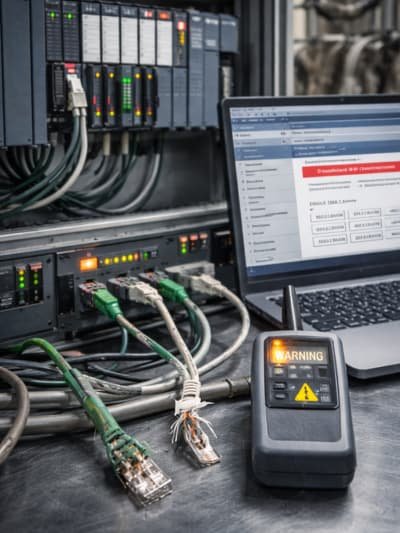
Common Causes of PLC Communication Failure
Most communication failures stem from configuration issues, physical layer problems, or noise-related instability. These failures usually involve multiple layers — electrical, network, and application — rather than the PLC program alone, and can prevent the PLC from responding to HMI, SCADA, or engineering software.
Common causes to check and document include:
- IP Configuration Errors: Wrong IP address, subnet mask, or gateway (PLC, HMI, SCADA server). IP conflicts are a frequent source of communication disruption.
- Duplicate IP Addresses: Often causes intermittent access across devices on the same network.
- Protocol Settings Issues: Incorrect settings, such as Modbus TCP unit ID mapping or OPC UA endpoint mismatch, can prevent proper data exchange.
- Cabling Problems: Bad Ethernet cables/connectors, wrong cable type, or damaged ports. Poor cabling affects the network layer and can disrupt multiple devices.
- Switch Issues: Wrong VLAN assignment, port security, or unstable link negotiation can block communication between system layers.
- Noise/EMC Issues:Especially near drives and motors; poor cable segregation or grounding can generate intermittent faults.
- Firmware/Module Mismatch: Incompatible module configuration after hardware replacement can prevent correct communication.
- Aggressive Time-out Settings: Too aggressive for the network load or polling rate, leading to failed data exchanges.
Pro Tip: Always document what you verify — configuration screenshots, switch port status, cable tests, and module diagnostic codes. Maintaining this baseline ensures traceable troubleshooting and reduces repeated faults.
Step-by-Step Troubleshooting PLC Communication Issues
Use a structured, layered approach: safety first, then physical layer, network, and finally application. This method minimizes risks, reduces downtime, and ensures all system layers are verified. Start with safe access to panels and confirm the process is in a safe state before testing outputs or forcing signals. These steps are effective for any PLC communication issue, including unresponsive devices or intermittent faults.
Step-by-step checks to document:
- Check CPU and communication module LEDs: Record RUN/STOP/ERROR indications and any link/activity LEDs.
- Confirm stable power supply: Measure 24VDC under load and check for undervoltage events to prevent communication drops.
- Verify physical connections: Inspect RJ45/industrial connectors, cable routing, and shielding terminations (per OEM guidance) to avoid intermittent faults.
- Confirm network identity: Verify IP, subnet, gateway, and device name; check for duplicates.
- Test network path: Ping where applicable, then trace via switch MAC table and port status.
- Validate protocol layer:Confirm driver settings (OPC UA/Modbus/EtherNet/IP/Profinet, etc.) and tag mapping.
- Review diagnostics: Use engineering software to read diagnostic buffer/logs and module status.
Document each step carefully to maintain an accurate audit trail and avoid repeated trial-and-error. Record exactly what changes are made and why, which ensures traceable troubleshooting and reduces recurring faults.
PLC Not Communicating with HMI or SCADA
Issues with HMI/SCADA often stem from tag, driver, or network settings, while the PLC hardware itself is usually functioning correctly. This highlights that communication failures frequently reside in the integration layer rather than in the PLC device alone.
Practical checks to document:
- HMI/SCADA Server: Confirm IP settings and correct subnet/VLAN.
- Driver Configuration: Verify endpoint, slot/rack settings, port numbers, and OPC UA certificates.
- Tag Quality: Identify “Bad Quality” tags caused by timeout or invalid addressing.
- Time & Polling: Ensure proper time synchronization and realistic polling rates.
- Network Rules: Review switch/firewall rules between PLC and HMI/SCADA segments.
- Protocol Control: Confirm that only one master is controlling protocol sessions where required.
Maintain detailed documentation of all checks to create a clear audit trail, which simplifies troubleshooting and prevents repeated issues. When SCADA/HMI is within your scope, it is best to validate communication using an agreed test sheet that lists devices, protocols, success criteria, and signed results.
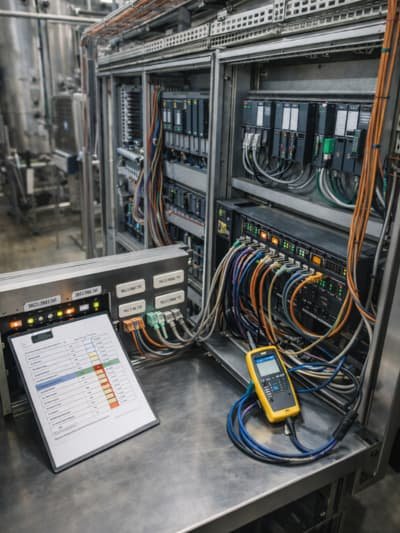
How to Prevent PLC Communication Failure in Industrial Networks
Prevention in industrial networks relies on design discipline, installation quality, and controlled changes. Proactive measures reduce downtime, protect operational safety, and minimize recurring troubleshooting costs. A strong prevention plan should always be based on verified design rules and OEM installation guidance, ensuring network reliability and reducing human errors. These measures help prevent communication failures or cases where the PLC is not responding.
Common preventive actions in Saudi industrial networks include:
- IP Addressing Plan: Create and maintain reserved addresses and naming standards to avoid conflicts and improve reliability.
- Industrial-grade Switches: Use where required and carefully document VLANs and port configurations.
- Cable Separation & Routing: Keep power and signal cables separate; follow OEM guidance on routing and shielding near VFDs and motors.
- Firmware Backup Management: Document firmware versions and maintain controlled backups of PLC projects and HMI/SCADA configurations.
- Commissioning Checklists:Include link tests, protocol verification, tag quality validation, and alarm checks.
- Change Control: Enforce controlled changes; avoid uncontrolled modifications to IPs, drivers, or switch configurations.
- Regular Network Health Review:Monitor error counters, link drops, top talkers, and server alarms monthly to detect potential issues before they cause downtime.
By implementing these measures systematically, industrial sites can prevent PLC communication failures, ensuring smoother operations and minimizing unplanned interruptions.
When Troubleshooting Is Not Enough
Escalate when diagnostics indicate hardware failure, repeated instability, or unclear network ownership. Some communication problems are not solved by basic checks. Escalation is justified when the issue repeats, when diagnostics indicate module faults, or when the network is shared and ownership is unclear.
Common escalation triggers include:
- Communication module reports persistent fault codes after reconfiguration and verified cabling.
- Link drops under load despite stable IP settings and correct switch configuration.
- Repeated duplicate IP incidents due to uncontrolled third-party changes.
- SCADA/HMI server shows timeout spikes during peak process events or after network changes.
- A replacement was done without matching firmware/hardware configuration.
In such cases, a specialist troubleshooting plan should include: a documented network capture where allowed, switch log review, protocol diagnostics, and OEM-aligned verification steps. Any component replacement should be supported by evidence (fault logs, test results, and compatibility confirmation).
Why Choose Riyadh Al-Itqan Company for This Service?
Reliable troubleshooting depends on disciplined checks, clean documentation, and clear ownership. Riyadh Al-Itqan Company (R-Aletqan) supports industrial clients with electrical and automation solutions that often include PLC systems and their integration with SCADA/HMI environments. For communication issues, support quality is measured by evidence: documented diagnostics, structured test sheets, and clear change control.
When clients involve Riyadh Al-Itqan Company, the value typically comes from:
- A structured troubleshooting workflow that starts with safety and verifiable checks.
- Clear documentation: as-found vs as-left records, logs, and configuration snapshots.
- Integration awareness across PLC, SCADA/HMI, and DCS environments.
- Service-oriented communication that keeps operations informed and decisions traceable.
Conclusion
A PLC communication fault is resolved faster when treated as a layered system with documented checks. Verifying the physical layer, network identity, protocol configuration, and reviewing diagnostics reduces repeat incidents and makes root causes easier to confirm.
To learn more about our capabilities and discuss your site symptoms, contact Riyadh Al-Itqan Company to book a visit and request a quotation. We offer PLC maintenance services in Riyadh, industrial automation solutions in Jeddah, and SCADA/HMI technical support in Dammam, among other major cities in Saudi Arabia. Our team of experts is ready to provide PLC troubleshooting and repair services in KSA to ensure the continuous operation of your industrial facilities.
Faq
Can a wrong IP address cause PLC communication failure?
Yes. If the PLC IP, subnet mask, or gateway does not match the network design, devices on other subnets may not reach it, and even local devices may conflict. Also check for duplicate IP addresses, because duplicates often cause intermittent communication.
How do I know if the PLC communication module is faulty?
Use the OEM diagnostic tools to read module status, fault logs, and error codes. If verified cabling and correct configuration still produce persistent module fault indications, the module may require further OEM-level testing or replacement under controlled change procedures.
Why does a PLC communicate with a laptop but not with HMI?
This often indicates an HMI-side issue such as wrong driver configuration, incorrect endpoint/slot settings, VLAN/firewall restrictions, or tag addressing problems. Document whether the HMI is on the same subnet, verify the driver settings, and check whether network rules allow HMI-to-PLC traffic.