A failed DCS migration and upgrade during plant cutover can shut down production within minutes especially in brownfield plants across Saudi Arabia where continuous operation is critical. That’s why DCS migration is never a simple replacement. It requires a phased approach including asset mapping, risk ranking, controlled cutover, parallel validation, and a clear rollback plan aligned with NIST OT risk-based guidance and vendor migration practices.
In practice, the real risk is not the software, but the interfaces controllers, historian data, alarms, communications, and operator graphics raising the key question: what happens if the cutover fails at 2 a.m.?
DCS Migration and Upgrade: Why Hardware-First Fails
Starting a DCS migration and upgrade as a hardware replacement is one of the fastest ways to create unplanned downtime. In brownfield plants, failures often occur when teams focus on cabinets and servers before defining what must never be lost: control logic, shutdown sequences, historian continuity, alarm priorities, batch operations, operator workflows, and third-party integrations.
According to NIST OT guidance, migration should always follow a risk-based approach rather than generic checklists, because operational continuity depends on preserving critical functions—not replacing hardware.
A second major failure point is incomplete data and application mapping. Vendor migration guidance consistently emphasizes defining mapping requirements before execution, including databases, tags, historian points, faceplates, reports, and integration objects. When this step is rushed, downtime increases because engineering teams end up debugging structure during cutover instead of executing a controlled migration.
Read about: SCADA Troubleshooting: Steps, Common Problems & Solutions
What a Low-Risk DCS Migration Looks Like
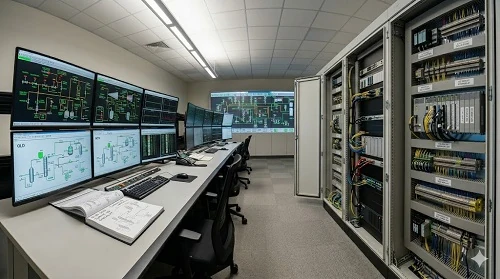
A low-risk DCS migration and upgrade is not a hardware replacement task—it is a controlled engineering process designed to prevent operational disruption in brownfield plants. Success depends on structured preparation across multiple critical layers rather than focusing on equipment alone.
1) Asset inventory & dependency mapping
A complete inventory must be built for controllers, workstations, servers, engineering tools, operating systems, network segments, I/O dependencies, historian links, alarm interfaces, and third-party packages, with clear identification of what can and cannot tolerate downtime. Since most DCS environments are tightly integrated with SCADA systems, PLCs, historians, analyzers, and plant networks, dependency mapping becomes a foundation for safe migration planning.
2) Version-path review
Migration must follow a validated vendor-supported upgrade path (such as ABB 800xA or Siemens PCS7), as DCS upgrades are version-dependent and may require staged updates, restarts, full downloads, or object-level replacements depending on the target architecture.
3) Integration freeze & interface testing
All changes to tags, graphics, alarms, historian interfaces, and third-party communications should be frozen before cutover, while conducting full validation of connected SCADA and industrial automation systems to eliminate interface-related risks.
4) Cutover planning
Cutover must be treated as a controlled execution event, not a maintenance activity. The plan should define sequence of operations, roles, backups, decision points, rollback triggers, communication protocols, and the exact condition for switching to the last safe state.
5) Parallel validation
Where feasible, systems should run in parallel to validate graphics behavior, historian continuity, alarm functionality, and selected control loops before full switchover, reducing uncertainty during final cutover.
6) Rollback logic
A proper rollback strategy must define backup integrity, rollback window, preserved data requirements, and strict conditions for reversal. Rollback is not optional—it is a safety control mechanism that protects plant stability.
How to reduce downtime during cutover
Downtime usually grows for three reasons: incomplete mapping, too many simultaneous changes, and poor decision control during startup. The best way to reduce it is to break the migration into functional blocks and prove each block before the main switch.
A practical sequence is:
- freeze configuration changes before the outage
- back up applications, databases, graphics, historian data, and network settings
- test restored backups, not just backup creation
- pre-stage the new environment as far as possible
- cut over non-critical integrations first
- keep critical loops and operator functions on a shorter, controlled sequence
- hold a clear decision gate before live switch-over
- preserve a rollback path until stability is proven
This staged logic fits both risk-based OT guidance and vendor-led migration methods that separate preparation, installation, update, and post-cutover validation rather than compressing everything into one outage night.
Parallel Run in DCS Migration: A Decision, Not a Default Step
Parallel run is most effective when a plant needs validation of graphics behavior, historian transfer, alarm handling, report continuity, and selected control visibility before full switchover. It is especially valuable in complex operator environments and brownfield sites with multiple integration points.
However, it becomes less effective when the migration involves deep controller replacement with limited ability to mirror live process execution, or when running dual systems introduces operational confusion or safety risks. In such cases, a more practical approach is a staged cutover with strong pre-validation and a tightly controlled rollback window. The key principle is not to apply parallel run by default, but to use it only where it reduces uncertainty faster than it adds operational complexity.
Why Most DCS Upgrades Fail at the Integration Layer
Most brownfield DCS upgrade failures are not caused by the core platform itself, but by integration details across the control system environment.
Historian & database mapping errors
One of the most critical failure points is incorrect or incomplete data mapping. Migration guidance from major DCS platforms consistently emphasizes planning data-source mapping before execution. If historian objects, naming conventions, or archived structures are not fully aligned early, reporting and trend systems often fail after startup.
Graphics & faceplate mismatches
Even when the process continues running, operator performance can be significantly impacted if graphics, faceplates, or symbol libraries are not updated consistently. Many official migration guides highlight that object updates and picture replacements must be part of the structured upgrade sequence.
Controller & OS download effects
Certain migration paths require full compilation, full download, or even controller restarts. This makes DCS migration and upgrade an operational event—not a background software update—and requires careful planning of execution windows.
Network & OT security gaps
Ignoring network segmentation, access control, or OT hardening during modernization can reduce hardware risks while increasing cyber exposure. NIST OT guidance clearly addresses these vulnerabilities and recommends structured countermeasures for both DCS and SCADA environments.
Third-party system dependencies
Systems such as analyzers, PLCs, package units, reporting tools, and SCADA overlays often depend on naming conventions, drivers, OPC links, time synchronization, or database structures that change during migration. These dependencies must be tested explicitly—not treated as secondary items.
How to Build a Usable Cutover Plan
A usable cutover plan is a structured execution framework that defines how a DCS migration and upgrade will be controlled, sequenced, and safely closed during execution.
1) Define the cutover scope
The first step is to clearly define what is changing within the cutover window—servers, HMI, controllers, historian systems, network infrastructure, or full platform migration. Unclear scope leads directly to uncontrolled execution and extended downtime.
2) Prepare all pre-staged elements
All critical components should be prepared before the outage, including software packages, licenses, virtual machines, node templates, and test images. Proper pre-staging significantly reduces on-site workload and shortens cutover duration.
3) Establish no-go conditions
Clear conditions must be defined that stop the cutover from proceeding, such as incomplete backups, unresolved factory tests, missing tag mapping, or unverified third-party interfaces.
4) Assign go/no-go authority
A single decision owner must be defined to control execution. Without clear authority, cutover execution can drift into uncontrolled troubleshooting during startup.
5) Define rollback triggers
Rollback conditions must be explicitly documented, including controller failure, historian corruption, unstable HMI behavior, alarm system failure, or communication loss.
6) Validate cutover closure
Cutover is only complete when stable operation is confirmed, including control execution, alarm integrity, historian data flow, graphics validation, communication stability, and documented handover.
Why Templates Still Matter in Brand-Specific Upgrades
Whether the scope is an ABB 800xA upgrade or a Siemens PCS7 upgrade, the core principle remains the same: one migration path cannot be assumed to fit another. Official platform documentation shows that some releases support simplified online updates during operation, while other migration paths require full downloads and CPU restarts. This difference directly impacts outage strategy, staffing levels, and rollback design.
Because of this, brownfield teams should avoid committing to “minimal downtime” before validating the exact version path, hardware generation, virtualization requirements, engineering tool compatibility, and full interface list.
Why Cybersecurity Must Be Part of Every Upgrade
A DCS migration is one of the best times to fix old OT security weaknesses because the plant is already touching architecture, access, servers, and communications. NIST’s current OT security guide covers DCS, SCADA, and other control architectures, identifies common vulnerabilities, and recommends security countermeasures tailored to operational needs.
In practice, that means migration scope should include:
- network segmentation review
- user and role cleanup
- remote access review
- patch and version governance
- backup and restore testing
- interface hardening
- alarm and event logging review
- alignment with SCADA security best practices where the DCS environment shares monitoring or remote-access layers
A brownfield migration checklist before approval
Before approving any migration proposal, plant managers should be able to clearly verify that the following elements are defined and documented:
- Asset and dependency inventory covering all systems and interfaces
- Supported version path aligned with vendor migration requirements
- Mapping strategy for tags, alarms, graphics, and historian data
- FAT and simulation scope to validate system behavior before cutover
- Cutover sequence defined by time, activity, and responsible roles
- Parallel run scope clearly identified, if applicable
- Rollback logic with explicit trigger conditions
- Cybersecurity review scope integrated into the migration plan
- Post-cutover support and stabilization window
- Final acceptance criteria for operational handove
If any of these elements are missing, the project should not be considered a complete migration strategy—it is only a preliminary budget request, not an executable plan.
DCS Migration and Upgrade Expertise You Can Trust
If your plant is planning a DCS migration or upgrade, success depends on the strength of the execution strategy not just the system itself. Poor planning can lead to extended downtime, unstable cutover, and operational risk.
At Riyadh Al Etqan, we support industrial plants with structured, risk-based migration and cutover planning that ensures controlled execution, minimized downtime, and safe commissioning from start to finish.
Contac us to review your migration scope before execution.
FAQ
What is the biggest risk in a DCS migration and upgrade?
Usually not the server replacement itself, but the interaction between mappings, interfaces, operator graphics, historian continuity, and live cutover decisions. Official migration material repeatedly emphasizes structured preparation and mapping before migration begins.
Can DCS upgrades be done with little downtime?
Sometimes, yes. Some platforms support online or hot-update approaches that reduce disruption, but that is version-specific and architecture-specific. It should never be assumed without checking the exact migration path.
Is parallel run always necessary?
No. It is valuable where it reduces uncertainty on critical functions, but it is not mandatory for every migration. The right choice depends on architecture, process risk, and what can be validated safely before full cutover.