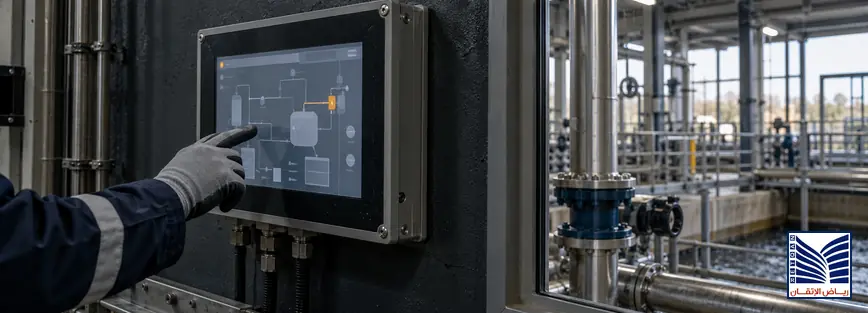
HMI design best practices are most valuable when equipment is not behaving normally. A high-performance HMI should help the operator understand what happened, where the problem is, how serious it is, what changed before the fault, and what action is safe next. The first screen should show equipment status, alarm context and priority, operating mode, key measurements, permissives or interlocks, relevant trends, and diagnostic status. Attractive graphics alone do not provide this decision support; the display must organize information around abnormal-condition response.
Quick Answer: What Should Operators See First During a Fault?
During a fault, the first screen should prioritize the affected equipment, its running or stopped state, operating mode, first-out alarm, active alarm priority, key process measurements, permissives, interlocks, communication status, and a clear path to trends and diagnostic details. Operators need context before acknowledgement or intervention. The screen should distinguish a direct initiating condition from consequential alarms, show what changed, and expose the next approved investigation step without replacing operating procedures.
A useful first screen is not necessarily the most detailed. It should support situational awareness and provide paths to equipment detail, alarm history, trends, and troubleshooting views. Test it with representative fault scenarios and operator feedback, not visual appearance alone.
What Is High-Performance HMI Design?
High-performance HMI design organizes process information, alarms, navigation, graphics, and diagnostics so operators can recognize abnormal conditions and make informed decisions. It treats the HMI as part of the control and alarm-management system, not a decorative layer. Consistent displays, meaningful status, restrained color, and clear hierarchy reduce interpretation effort.
Traditional HMI vs High-Performance HMI
| Traditional HMI | High-Performance HMI |
|---|---|
| Uses many bright colors to distinguish objects or attract attention | Reserves color and visual emphasis for abnormal, safety-relevant, or actionable conditions |
| Presents information according to equipment layout or programming convenience | Presents information according to operator tasks, process relationships, and decision priority |
| Shows alarms as a long list or repeated flashing indications | Provides priority, first-out context, sequence, status, and access to alarm response information |
| Depends on the operator to interpret symbols and find supporting details | Connects overview, equipment detail, trends, permissives, and diagnostics |
| Emphasizes attractive graphics and animation | Emphasizes consistency, situational awareness, usability, and fault investigation |
The distinction is not between simple and advanced graphics. It is between a display that shows data and one that helps an operator interpret the data in context.
The First Screen: Information Operators Need During Abnormal Conditions
Equipment Operating Status
The first view should make the affected equipment’s state unambiguous: running, stopped, starting, tripped, unavailable, manual, automatic, local, or remote. Show key measurements such as pressure, flow, temperature, level, speed, current, valve position, or controller output with units and data quality.
Status should not depend on animation. A stable symbol, label, mode indicator, and value should remain clear during rapid changes. Where command and feedback differ, show whether equipment responded.
Alarm Context and Priority
An effective SCADA alarm display shows active alarms with priority, source, time, state, and response context. First-out indication can identify the initiating event before consequential alarms appear. Consistent sequence and timestamps support investigation, while acknowledgement is not correction.
Priority should reflect consequence and required response, not color or device type. The first screen should make important conditions visible without letting low-value notifications dominate. Alarm philosophy and procedures should define each priority.
Permissives and Interlocks
Permissives and interlocks explain why equipment cannot start, why a command was rejected, or why an operating state changed. A useful screen identifies the unmet condition, its current value or state, and whether it is a process permissive, equipment protection, control-mode restriction, or communication issue. “Start failed” is less useful than “start inhibited: discharge valve not proven open,” when that message is accurate and approved.
Interlock displays should help operators investigate without encouraging unsafe bypassing. The HMI should show status and diagnostic context; authorized procedures should govern reset, override, isolation, or maintenance actions.
Trends and Historical Data
Trends show what changed before the fault. Overlay the affected measurement with related pressure, temperature, speed, output, valve position, alarm state, or mode to reveal whether the event developed gradually or followed a command or process change. Use suitable intervals and time alignment.
Historical data helps operators compare the event with normal behavior and communicate evidence to maintenance. The first screen need not show every trend, but it should link directly to relevant tags and time ranges.
Essential Elements of an Effective HMI Screen Design
| HMI Element | Purpose |
|---|---|
| Clear navigation | Lets operators move predictably from overview to area, equipment, alarm, trend, and diagnostic views. |
| Consistent symbols | Makes the same equipment state, command, fault, and mode mean the same thing across screens. |
| Alarm visibility | Shows active, unacknowledged, shelved, and returned alarms according to the approved alarm philosophy. |
| Process overview | Provides plant or area context and identifies the affected unit without excessive detail. |
| Diagnostic screens | Exposes device, controller, communication, permissive, interlock, and quality information. |
| Trend displays | Shows pre-fault behavior, relevant measurements, event timing, and process response. |
| Equipment details | Provides commands, feedback, modes, setpoints, limits, maintenance indicators, and status explanations. |
The screen should be usable under normal and abnormal conditions. Text, units, timestamps, status labels, and navigation should remain readable at the operator’s normal viewing distance and should not depend on a single visual cue.
Common HMI Design Mistakes That Slow Fault Response
Too many colors obscure the difference between alarm, warning, selected, and normal states. Excessive animation adds noise, while poor hierarchy places low-consequence notifications beside urgent conditions.
Missing diagnostics forces operators to search or call maintenance before describing a fault. Overloaded screens hide the measurements needed for the immediate decision, and missing trends remove evidence of what changed. Address these issues through task-based fault scenarios, not graphic redesign alone.
How SCADA Alarm Display Design Affects Operator Decisions
Alarm flooding occurs when many alarms arrive together or remain active without helping the operator choose an action. It increases workload and can obscure the initiating event. Prioritization should reflect consequence, urgency, and expected response. The display should distinguish active, acknowledged, returned, suppressed, and shelved states according to site rules.
A well-structured SCADA alarm display shows source, priority, time, state, and response information consistently, links to affected equipment, and avoids turning every event into a visual emergency. Review alarm performance in its operating context throughout the alarm lifecycle.
Designing HMI Troubleshooting Screens for Maintenance Teams
An HMI troubleshooting screen should help maintenance teams move from a symptom to evidence. Include fault history, device status, communication status, interlocks, permissives, sensor values, signal quality, controller mode, maintenance indicators, and the last meaningful state change where available. Show whether a value is live, stale, substituted, unavailable, or outside its expected range.
The screen should identify the equipment and signal path clearly enough for maintenance to coordinate with operations. It may include diagnostic codes, device status, run hours, reset status, and related alarms under the approved design. It should not expose unrestricted commands or encourage bypasses, and its information should match drawings, tag lists, procedures, and the SCADA configuration.
Applying ISA-101 High Performance HMI Principles
ISA-101 addresses human-machine interfaces in manufacturing and process automation, including design, usability, performance, and lifecycle considerations.[1] Applying its principles means starting with operator tasks and situational awareness: what must be recognized, what context is needed, and what action is permitted during each operating state. It also means using consistent displays, predictable navigation, meaningful color, appropriate detail levels, and lifecycle governance.
ISA-101 should not be treated as a claim of certification or as a visual template that can be copied without understanding the process. A practical implementation considers control-room roles, abnormal scenarios, alarm philosophy, display standards, operator training, change management, and review feedback. The objective is to reduce unnecessary cognitive workload while preserving the information required for safe and effective decisions.
HMI Review Checklist Before Project Deployment
- Can operators identify abnormal conditions quickly? Test the first screen using realistic fault scenarios and time pressure appropriate to the process.
- Are alarms prioritized correctly? Confirm that priority, color, sound, acknowledgement, and response expectations follow the approved alarm philosophy.
- Are troubleshooting details available? Verify access to device status, interlocks, communications, fault history, sensor information, and maintenance indicators.
- Are trends accessible? Confirm that relevant pre-fault measurements, time ranges, units, and event markers are easy to reach.
- Are screens consistent? Review symbols, labels, navigation, modes, commands, values, alarm states, and status conventions across areas.
- Has operator feedback been considered? Record feedback from the people who will use the displays during normal operation, startups, trips, and recovery.
Deployment review should include simulated or replayed scenarios, not just a screen-by-screen visual inspection. Record defects, owners, acceptance criteria, and changes to procedures or training.
How HMI Engineering Support Improves Control Room Usability
Engineering support can include an existing HMI assessment, screen review, alarm-display evaluation, operator feedback, scenario-based usability testing, redesign recommendations, and SCADA/HMI integration review. The assessment may examine hierarchy, navigation, tag quality, alarm context, trends, interlocks, diagnostics, procedures, and control-architecture consistency.
A SCADA and HMI systems review can also consider interaction with programmable logic controllers, communications, process data, and equipment status. The required scope should be based on the installed system, operating risks, available documentation, and representative fault scenarios.
Frequently Asked Questions
What are HMI design best practices?
HMI design best practices include operator-focused information hierarchy, consistent symbols and navigation, restrained use of color, clear equipment modes, meaningful alarm priority, first-out context, accessible trends, visible permissives and interlocks, and diagnostic information linked to the affected equipment. The display should support situational awareness during normal and abnormal operation and should be validated with realistic scenarios and operator feedback rather than visual preference alone.
What information should appear on the first HMI screen during a fault?
The first screen should show the affected equipment, running or stopped state, operating mode, key measurements, active and first-out alarms, priority, alarm sequence or timestamp, permissives, interlocks, communication status, and a path to relevant trends and diagnostics. It should help the operator determine what happened, where it occurred, how serious it is, what changed, and what approved action should happen next.
What is the difference between traditional HMI and high-performance HMI?
A traditional HMI may emphasize colorful graphics, animation, or the physical appearance of equipment. A high-performance HMI emphasizes information hierarchy, situational awareness, consistent displays, meaningful alarm context, and decision support. It connects overview, equipment detail, trends, interlocks, and diagnostics so the operator can investigate an abnormal condition. The difference is not simply visual style; it is how effectively the display supports an operating task.
How does alarm display design affect operators?
Alarm display design affects what operators notice, how they prioritize events, and how quickly they can connect an alarm to equipment and process context. Poor hierarchy, excessive notification, or unclear states can increase workload and obscure the initiating condition. A structured display provides priority, source, time, state, and response context, while alarm rationalization and site procedures define what the priority means and what action is expected.
Why are troubleshooting screens important in HMI systems?
Troubleshooting screens reduce the time needed to gather evidence about a fault by bringing together device status, communication health, fault history, interlocks, sensor values, signal quality, and maintenance indicators. They help operations and maintenance communicate using the same equipment and tag context. These screens should expose information safely, remain consistent with the control configuration and procedures, and avoid unrestricted commands or undocumented bypass actions.
What is ISA-101 in HMI design?
ISA-101 is a standards series concerned with human-machine interfaces in manufacturing and process automation. It provides a framework for considering HMI design, usability, performance, and lifecycle practices, including operator-focused displays and situational awareness. Applying ISA-101 principles does not by itself certify a project or guarantee an operating result. The implementation should be adapted to the process, roles, alarm philosophy, procedures, and control-system architecture.
How can HMI screens improve fault diagnosis?
HMI screens can improve fault diagnosis by presenting the affected equipment, status, mode, alarms, first-out indication, permissives, interlocks, trends, device diagnostics, communication quality, and recent changes in a connected sequence. This helps operators form a clearer hypothesis before taking action and gives maintenance better evidence for follow-up. The improvement depends on accurate tags, reliable timestamps, consistent design, useful navigation, and validated operating procedures.
Request an HMI Usability and Alarm-Screen Assessment
Request an HMI usability review, alarm-screen assessment, HMI redesign consultation, or SCADA/HMI improvement support when operators struggle to interpret faults, alarms are difficult to prioritize, or troubleshooting requires too many screens. A structured review can evaluate first-screen content, alarm context, navigation, trends, interlocks, diagnostics, and operator feedback. Use the contact technical support page to discuss the required scope.
Strong HMI design best practices are not about making a control room look more impressive. They are about giving operators accurate, prioritized, and actionable context when process conditions are changing.