
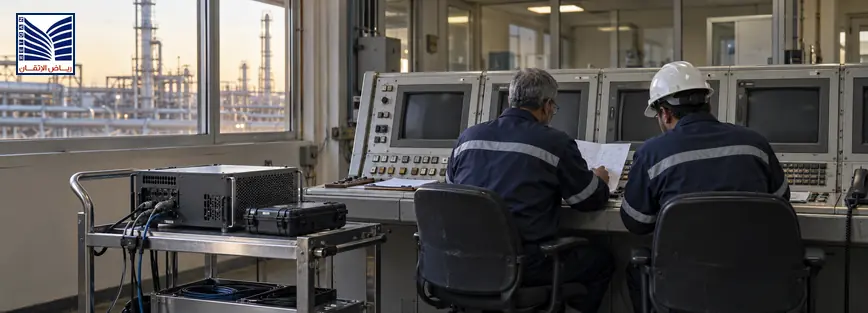
DCS virtualization is the deployment of control-system servers and applications on virtual computing infrastructure instead of dedicated physical servers. In a brownfield plant, it can support lifecycle extension, recovery planning, maintenance flexibility, and future modernization while the existing DCS remains in operation. Before migration, engineers should evaluate application compatibility, vendor support, server and network architecture, cybersecurity, performance, licensing conditions, backup procedures, and the plant’s availability requirements. Virtualization is therefore a modernization strategy—not simply a way to reduce the number of physical servers.
Quick Answer: What Is DCS Virtualization?
DCS virtualization uses virtual machines (VMs) to run selected control-system applications on shared physical computing infrastructure. A virtualized DCS may host operator, engineering, historian, application, or other approved server roles as separate VMs, subject to the platform’s architecture and support conditions. Server consolidation can reduce hardware dependencies, but it introduces a hypervisor, shared resources, virtual networking, storage, backup, and security responsibilities that must be engineered.
In a brownfield plant, the decision should begin with the installed DCS version, node inventory, application dependencies, current server lifecycle, recovery objectives, and vendor guidance. A validated platform-specific architecture may support virtualization, but compatibility is not transferable from one DCS version or deployment to another.[1]

Why Brownfield Plants Consider DCS Virtualization
Extending Control System Lifecycle
Aging physical servers can be difficult to replace when they depend on obsolete interfaces, dedicated storage, or unavailable operating systems. Virtualization may separate the DCS application from server hardware and support a planned refresh. The DCS release, drivers, database, and VM tools still require lifecycle management, and the configuration must be vendor-supported and recoverable.
Improving Disaster Recovery Capability
Virtual machines help define backup content, including VM images, application data, configurations, entitlements, network definitions, and restoration dependencies. A recovery plan should specify host, storage, sequence, validation, and responsibilities. A backup file does not prove recovery; restore the VM and data in an approved environment and validate safe DCS communication. Recovery objectives should reflect process availability requirements.
Reducing Hardware Dependency
A physical-server design ties application roles to specific hardware. A virtualized design can run approved VMs on defined host resources and centralize monitoring. Dependency moves to host capacity, storage, hypervisor, virtual switches, networks, backups, and administrative access; these shared dependencies require protection against common-cause failures.
Supporting Future Modernization
Virtualization can support staged modernization by providing infrastructure for approved application servers, historians, test environments, or migration tools. Keep control, operations, enterprise, and test boundaries clear. Base expansion on DCS requirements, communications, host capacity, storage performance, and approved support models—not VM count alone.
DCS Virtualization Benefits for Industrial Plants
Benefits depend on the DCS platform, application design, host architecture, and operating discipline, so confirm them during assessment.
| Benefit | Operational Impact |
|---|---|
| Easier maintenance | Centralized infrastructure views may simplify approved server maintenance and help teams identify host, VM, storage, and virtual-network status. |
| Improved recovery planning | VM configuration and application dependencies can be documented as part of a defined backup and restoration procedure. |
| Infrastructure flexibility | Approved applications may be hosted on refreshed physical infrastructure without redesigning every control application at the same time. |
| Better resource utilization | Shared infrastructure can allocate resources across suitable workloads, provided performance and isolation requirements are respected. |
| Simplified hardware management | Fewer dedicated server types may reduce inventory complexity, although hosts, storage, network, and hypervisor spares remain important. |
These benefits should be balanced against common-host risk, administrative complexity, software-support restrictions, and the need for controlled change management.
DCS Virtualization Risks and Challenges
Application Compatibility
DCS applications may require specific operating systems, databases, drivers, time services, communication interfaces, VM tools, and host configurations. A laboratory VM is not proof of plant support. Review the DCS release, patches, redundancy, tools, clients, historian interfaces, and vendor guidance. Platform-specific environments, including ABB 800xA virtualization, must be checked against the exact release and approved architecture.[1]
Cybersecurity Considerations
Virtualization adds an administrative and security layer to OT. Review hypervisor access, host interfaces, virtual switches, accounts, remote access, backups, patching, logging, malware controls, and control/enterprise separation. Segmentation should reflect required communications and control architecture. Industrial-control guidance emphasizes distinct performance, reliability, and safety requirements, so access controls must be least-privilege, documented, monitored, and tested without unsafe remote dependencies.[2]
Performance Requirements
A virtualized DCS needs adequate CPU, memory, storage latency, network capacity, and redundancy for normal and abnormal conditions. Account for startup, historian writes, operator activity, alarm bursts, backups, failover, and maintenance. Overcommitment can create contention invisible from the DCS alone. Define baselines and monitoring; use vendor requirements, measured workload, and availability design rather than copied values.
Licensing and Support Considerations
Review licensing, node identity, hardware binding, virtual MAC or host changes, license servers, backup rights, support conditions, and entitlements. A snapshot may not be an approved recovery method. Confirm rules for VM movement, host replacement, failover, patching, and version changes. Document ownership across DCS, infrastructure, network, cybersecurity, and operations because a fault may originate in any layer.
DCS Virtualization vs Traditional Physical Server Infrastructure
Both architectures can be appropriate. The decision should reflect the DCS application, recovery objectives, support model, and plant constraints.
| Aspect | Physical Infrastructure | Virtualized Infrastructure |
|---|---|---|
| Hardware dependency | Each application role may depend on a dedicated server and its specific components | Multiple roles may depend on shared hosts, storage, hypervisor, and virtual networking |
| Recovery approach | Restore or replace the dedicated server and application components | Restore approved VMs and dependencies on an available, compatible host environment |
| Scalability | Expansion may require additional physical servers, interfaces, and space | Expansion may use available host resources, subject to performance and support limits |
| Maintenance flexibility | Maintenance is tied to individual servers and spare hardware | Some maintenance can be centralized, but shared infrastructure changes require stronger control |
| Migration requirements | Physical replacement, OS/application compatibility, and cutover testing remain necessary | VM compatibility, host design, storage, virtual networking, security, backup, and application testing are added |
Virtualization should not be chosen solely because it appears more flexible. A physical architecture may be more suitable for a specific availability, isolation, support, or performance requirement.
DCS Virtualization Readiness Assessment Checklist
Use the following checklist to organize evidence before approving a migration concept.
| Assessment Area | Key Questions |
|---|---|
| Current DCS architecture | Which nodes, applications, networks, redundancy functions, and interfaces are installed? |
| Software versions | What DCS, operating-system, database, driver, patch, and VM-tool versions are present and supported? |
| Hardware lifecycle status | Which physical servers, storage devices, network components, and spare parts are aging or unavailable? |
| Application compatibility | Does the exact DCS release support the proposed hypervisor, host, storage, backup, and VM configuration? |
| Network design | Are control, operations, enterprise, management, backup, and test paths defined and appropriately separated? |
| Cybersecurity requirements | How are access, segmentation, patching, logging, malware controls, and administrative accounts governed? |
| Backup and recovery strategy | Can VMs, application data, configurations, licenses, and dependencies be restored and validated? |
Add process criticality, recovery targets, outage constraints, operator-client count, historian load, engineering access, and future expansion to the assessment record.
DCS Migration Strategy for Brownfield Plants
A practical DCS migration strategy should reduce uncertainty before the cutover:
- Existing system assessment: Document the DCS topology, nodes, applications, interfaces, redundancy, server condition, network paths, and current operating procedures.
- Application inventory: List each application, service, database, driver, interface, license dependency, scheduled task, backup, and external system connection.
- Compatibility review: Compare exact DCS and operating-system versions with approved VM, hypervisor, host, storage, network, backup, and cybersecurity configurations.
- Virtual infrastructure design: Define hosts, resource allocation, storage, virtual switches, redundancy, access controls, monitoring, recovery locations, and failure domains.
- Testing strategy: Prepare functional, performance, communication, alarm, historian, redundancy, backup-restore, cybersecurity, and failover tests appropriate to the application.
- Migration execution planning: Define isolation, sequencing, pre-migration backups, rollback criteria, responsibilities, communication, outage window, and post-migration observation.
- Validation and documentation: Confirm application behavior, operator access, interfaces, alarms, data, time services, backups, drawings, asset records, and approved as-built configuration.
A phased approach may allow the plant to migrate noncritical or supporting applications first, but coexistence creates additional interfaces and ownership boundaries. Every phase should have a defined baseline, test evidence, rollback condition, and retirement plan for replaced infrastructure.
Why Engineering Assessment Is Critical Before DCS Virtualization
Virtualization is not a simple server replacement. The engineering team must understand how the DCS application communicates with controllers, I/O networks, operator stations, historians, engineering tools, time sources, alarm systems, and external interfaces. Process availability requirements determine whether a shared host, storage device, network path, or backup system could create an unacceptable common dependency.
Migration decisions depend on the existing architecture, software version, redundancy design, documentation, support conditions, and plant operating model. The assessment should identify what can be virtualized, what should remain physical, what must be upgraded first, and how the result will be tested. It should also identify conditions under which virtualization should be deferred.
The engineering deliverable should include assumptions, compatibility evidence, risk register, target architecture, resource basis, cybersecurity controls, backup and recovery design, test plan, commissioning sequence, and documentation requirements. This makes the decision auditable and prevents an infrastructure change from being mistaken for a complete DCS modernization.

How DCS Modernization Support Helps With Virtualization Planning
Engineering support can assist with DCS assessment, node and application inventory, lifecycle review, architecture analysis, compatibility checks, migration planning, virtualization readiness, test design, recovery planning, and modernization-roadmap development. It can also help coordinate DCS, plant IT/OT, networking, cybersecurity, operations, and maintenance responsibilities.
A distributed control system DCS solutions resource is a relevant starting point for discussing existing-system upgrades, virtualization solutions, technical support, and commissioning requirements. The final architecture should remain based on verified plant information, vendor guidance, and documented acceptance criteria rather than unsupported assumptions.
Frequently Asked Questions
What is DCS virtualization?
DCS virtualization runs approved control-system server applications inside virtual machines on shared physical computing infrastructure. It can consolidate suitable server roles and support structured hardware refresh, backup, recovery, and maintenance planning. It also introduces dependencies on the hypervisor, host resources, storage, virtual networking, access control, and backup systems. The exact DCS release and vendor-supported architecture must be checked before migration.
Why do brownfield plants consider DCS virtualization?
Brownfield plants may consider virtualization when physical servers are aging, spare hardware is difficult to maintain, recovery planning is weak, or infrastructure needs to be refreshed while the existing DCS remains operational. Virtualization can provide a more flexible platform for approved applications and staged modernization. The decision still depends on compatibility, availability requirements, cybersecurity, performance, support conditions, and the plant’s ability to test recovery.
Is virtualization suitable for every DCS system?
No. Suitability depends on the DCS version, application roles, redundancy, communication interfaces, performance requirements, support policy, cybersecurity architecture, recovery objectives, and plant operating constraints. Some applications may be suitable for virtualization while others should remain on dedicated or specially designed infrastructure. An engineering assessment should identify the supported boundary and document what will be virtualized, retained, or deferred.
What risks should be reviewed before DCS virtualization?
Review application compatibility, software and licensing conditions, host and storage capacity, network segmentation, administrative access, patching, backup and restore, common-cause failure, failover behavior, time services, monitoring, and vendor support. Also consider the effect of infrastructure maintenance on process availability. Risk review should produce controls, owners, tests, and rollback conditions rather than a general statement that virtualization is secure or reliable.
How does DCS virtualization support disaster recovery?
Virtualization can help define and package application environments, dependencies, and restoration steps, which may make recovery planning more structured. It does not automatically provide disaster recovery. The plant must identify recovery hosts, storage, network dependencies, licenses, data, configuration, time services, and validation tests. Backups should be periodically restored in an approved environment so the team can confirm that the DCS application and interfaces behave as required.
What information is needed before planning a DCS migration?
Collect the DCS topology, node and application inventory, software and operating-system versions, firmware and patches, network diagrams, redundancy design, interfaces, historian and database dependencies, licenses, backups, recovery objectives, process criticality, outage constraints, cybersecurity requirements, and available test environments. Compare the running system with drawings and archives where possible. This evidence supports compatibility analysis, target architecture, testing, commissioning, and rollback planning.
Request a DCS Virtualization Readiness or Migration Assessment
Request a DCS virtualization readiness or migration assessment to review DCS lifecycle risk, virtual infrastructure planning, application compatibility, cybersecurity, disaster recovery, performance, and migration strategy. A structured assessment can help industrial teams decide what to virtualize, what to retain, how to test the design, and how to document the modernization roadmap. Use the contact technical support page to discuss the required scope.
A disciplined DCS virtualization program treats brownfield modernization as a lifecycle, availability, security, and migration decision—not merely a reduction in physical server count.

